

Whether a membrane keypad has LEDs is rarely a cosmetic question. It changes the circuit construction, the stack height, the cost, the power budget and the way the product is tested. Adding lighting late in a design is one of the most common causes of re-quotes, and leaving it out of a product that ends up used in the dark is one of the most common causes of field complaints.
This guide compares the three options — no LEDs, indicator LEDs only and full backlighting — and sets out when each is the right choice.
Why This Matters
Light does two jobs on a keypad. It tells the user the state of the product (power on, fault, mode selected), and it lets the user find and read the keys when ambient light is poor. A product that needs only the first job can often get away with a few indicator LEDs. A product that needs the second needs a lighting method designed into the stack from the beginning.
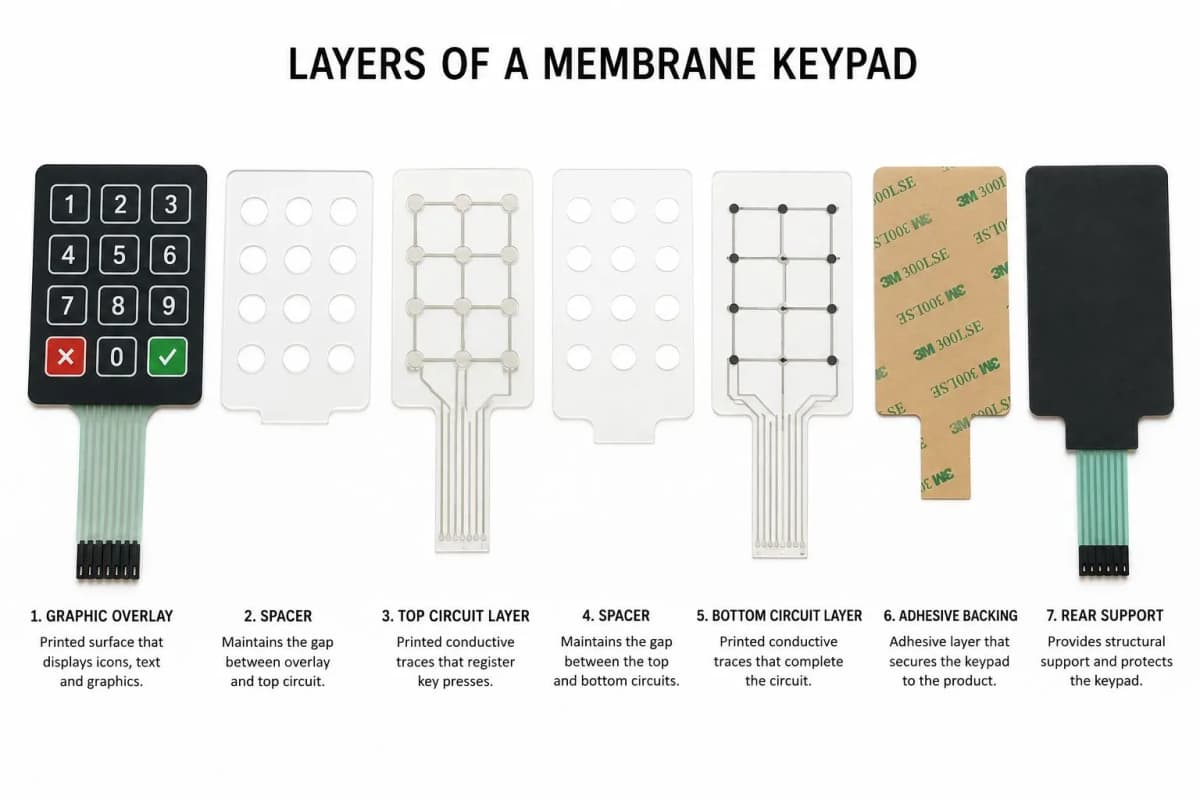
The decision is also tied to the construction. A simple printed-ink flex circuit is cheap and thin but cannot easily carry surface-mounted LEDs. Once LEDs appear, the build typically moves to a flexible printed circuit (FPC) or a PCB, which is a different cost and lead-time category.
Key Takeaways
- There are three practical options: unlit, indicator LEDs only, and full backlighting. Each has a different construction and cost profile.
- Unlit keypads are the cheapest, thinnest and simplest, and are right whenever ambient light is good or a display gives the feedback.
- Indicator LEDs add status feedback with little change to the keypad, but push the build toward a PCB or FPC circuit.
- Backlighting is best treated as a light-distribution problem, not just an LED count. Uniformity, light bleed and color consistency matter more than raw brightness.
- Decide lighting at the start of the design. Adding it late forces changes to layer order, thickness and tail routing.
Option 1: Membrane Keypads Without LEDs
An unlit keypad has no light source anywhere in the stack. The legends are printed on the overlay and read by ambient light.
Advantages
- Lowest cost, with the simplest bill of materials
- Thinnest possible stack
- No power draw and no LED-related failure modes
- Typically the shortest lead time, since the circuit can stay as printed ink on polyester
Limitations
- Unreadable in the dark
- No status indication on the keypad itself
- The user must look at a separate display or indicator for feedback
Typical uses: Appliances, lab equipment, sealed instruments and industrial controls used in well-lit areas, and any product where an LCD or OLED shows the state.
Option 2: Membrane Keypads With Indicator LEDs
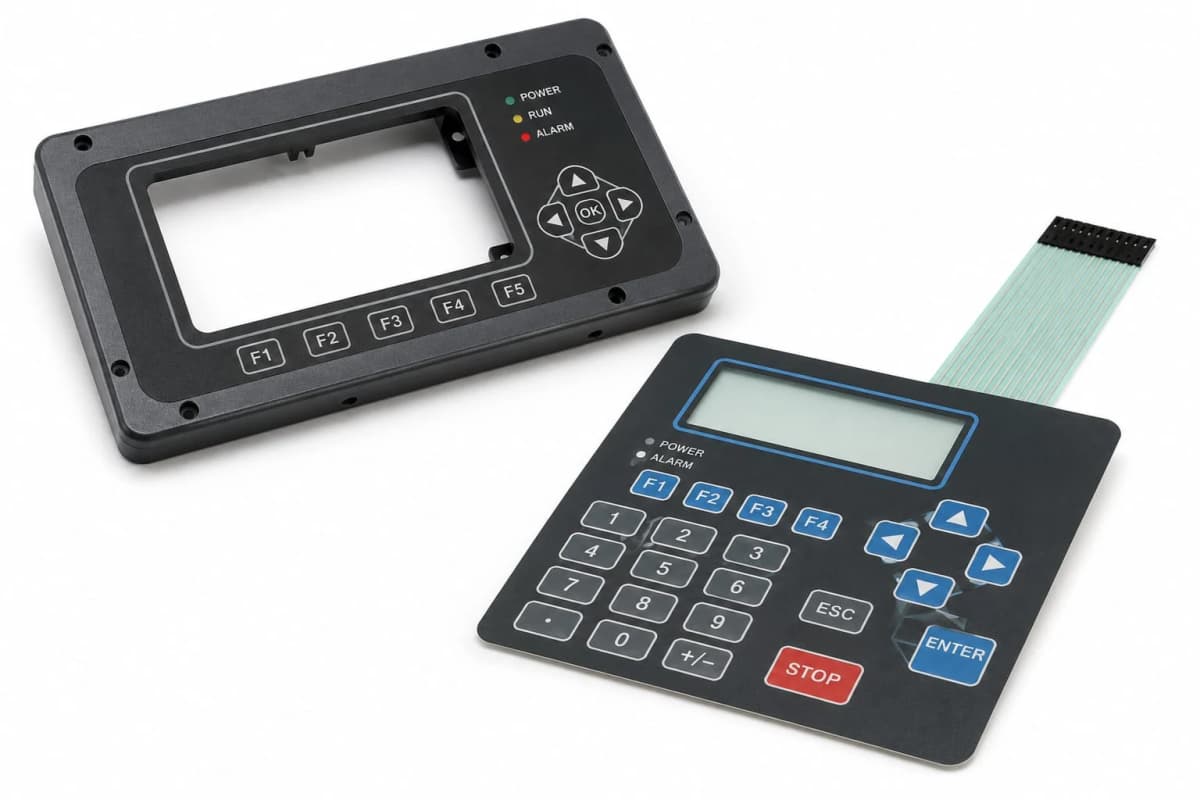
Here one or several discrete LEDs sit under small windows or icons in the overlay. They show power, fault, mode, charging state or similar information. The keys themselves are not lit.
Advantages
- Gives clear, instant status feedback at modest cost
- Needs only a handful of LEDs, so heat and power are minor concerns
- Can be combined with any tactile type
Limitations
- Requires a circuit that can carry components, usually FPC or PCB
- Window design is critical: poor opaque printing around the window causes light bleed
- Needs a defined color and brightness so the indicator reads clearly in daylight
Typical uses: Power and fault lights on industrial controllers, charge indicators on portable devices, alarm and mode lights on security panels.
Option 3: Fully Backlit Membrane Keypads
Backlighting illuminates key legends or whole key areas from behind. The lighting method can be discrete LEDs under each key, a light guide film fed by edge LEDs, or an electroluminescent panel. The full comparison is in our backlighting options guide.
Advantages
- Readable in low light and darkness
- Premium appearance, with consistent color and glow
- Supports dimming and color changes for modes or alerts
Limitations
- Highest cost, since it adds LEDs or a light layer, drivers and additional assembly and test
- Thicker stack, particularly with light guide layers
- Needs careful design for uniformity, bleed and color consistency
- Adds power draw, which matters for battery products
Typical uses: Automotive and aerospace panels, medical and marine equipment used in the dark, night-shift industrial controls, and premium consumer devices.
Construction Differences That Follow From the Choice
| Feature | No LEDs | Indicator LEDs | Fully backlit |
|---|---|---|---|
| Circuit layer | Printed ink on polyester is common | FPC or PCB usually needed | FPC or PCB |
| Stack height | Thinnest | Slightly thicker | Thickest |
| Components | None | LEDs, resistors | LEDs, resistors, possibly drivers or inverter |
| Power draw | None | Very low | Low to moderate |
| Light-control layers | None | Opaque ink around windows | Diffuser, light guide, masks |
| Relative cost | Lowest | Moderate | Highest |
| Design risk | Low | Moderate | Highest |
Design Issues That Decide Whether LED Keypads Look Good
Uniformity
Direct LEDs placed under a thin diffuser create visible hot spots. Fixes include a light guide film, a thicker diffuser, more LEDs at lower drive current, or increasing the distance between LED and overlay.
Light Bleed
Light that escapes around the edges of a key or window makes a keypad look cheap. It is controlled by opaque ink layers, dark spacer layers and carefully die-cut windows, and is far easier to design in than to fix afterwards.
Color Consistency
LEDs are sorted into bins by color and brightness. If different bins are mixed, neighbouring keys visibly differ. Specifying tight binning, or a single bin per lot, keeps keys matching across production runs.
Brightness and Dimming
Brighter is not better. An overbright backlight is harsh at night and wastes power. Specify the brightness at the overlay surface, with a dimming range, rather than only a raw LED current.
Heat and Current
LEDs run best when current-limited correctly. Overdriving shortens life and causes color shift. Placing LEDs on a thermally sensible layer, and using resistors or constant-current drivers, avoids most reliability issues.
Manufacturing Insight: When a client says "backlit," ask what has to be readable and from what distance. A keypad that only needs its home-row legends visible at night is a very different build, and cost, from one with every legend lit evenly to a specified lux level.
Power and Battery Considerations
Unlit keypads draw nothing. Indicator LEDs draw a few milliamps each when on. Full backlighting can draw tens of milliamps or more depending on the key count and brightness, which becomes significant in battery products. Options for saving power include timed backlight shutoff, ambient-light-sensing dimming and efficient light guide film with fewer LEDs.
Reliability
LEDs are generally long-lived when properly driven, but their presence adds solder joints, component placement and connector complexity compared with a printed-ink circuit. The most common field failures come from:
- LEDs overdriven or run hot
- Cracked solder joints from flexing the tail or keypad
- Moisture ingress at the window edges
- Color shift over time in low-cost or poorly binned LEDs
A properly designed LED keypad will outlast many product lifecycles; a poorly designed one will fail early. The difference is in the design and the testing, not in the use of LEDs themselves.
Typical Applications
- No LEDs: Appliance and laboratory panels, sealed instruments, simple industrial controls.
- Indicator LEDs: Industrial controllers, security and alarm panels, charging and status indicators.
- Backlit: Vehicle and aircraft panels, marine and medical equipment, night-use controls and consumer devices.
Common Mistakes
- Deciding on lighting last. It affects stack height, circuit type and tail routing, so it belongs at the start.
- Specifying brightness only as LED current. What matters is output at the overlay surface after all layers.
- Ignoring light bleed. The cost of good masking is small compared with the cost of a keypad that glows around every edge.
- Mixing LED bins. This produces visibly mismatched keys across lots.
- Forgetting daylight readability. Indicators must be visible in bright ambient light, not just in a dark room.
- Overlooking power budget. Backlighting that is fine on mains power may be unacceptable on a battery.
Decision Framework
- Will the keypad be used in dim or dark conditions? If no, an unlit keypad is probably right.
- Does it only need status feedback? Then choose indicator LEDs.
- Do the keys themselves need to be readable in the dark? Then choose backlighting, and decide the method early.
- Is the product battery powered? Specify dimming and timed shutoff.
- Is the appearance premium? Prioritise uniformity, bin control and light bleed control.
- Is cost the dominant constraint? Start from unlit and add only the lighting that the use case truly requires.
Frequently Asked Questions
Do I need LEDs on my membrane keypad?
Only if the user needs status feedback or has to read the keypad in low light. An unlit keypad is the right choice for equipment used in well-lit environments or where a display provides all feedback. Indicator LEDs suit products that need to show power, fault or mode. Full backlighting is for night use, dim environments or premium appearance.
What is the difference between indicator LEDs and backlit keys?
Indicator LEDs are discrete lights that show a status, such as power or alarm, through a small window or icon. Backlit keys light the key legends or the whole key area from behind so the keypad can be read in the dark. Indicators use one or a few LEDs; backlighting uses many LEDs or a light-spreading layer.
Do LEDs make a membrane keypad less reliable?
They add components and solder joints, which add potential failure points, but LEDs themselves are long-lived when driven within their rating. Most field problems come from overdriving, heat or poor current control rather than from the LED itself.
How much more does an LED membrane keypad cost?
Cost rises because the build usually moves from a printed-ink flex circuit to an FPC or PCB-integrated construction, plus the LEDs, any resistors or drivers, light guide or diffuser layers and extra assembly and test. The increase varies widely with the number of LEDs and the lighting method, so it should be quoted per design.
Why do some backlit keypads have bright spots or uneven lighting?
Hot spots appear when LEDs sit directly behind a thin diffuser without enough distance or diffusion. Fixes include a light guide film, a thicker diffuser, more LEDs at lower current, or a longer light path. Uneven color between LEDs from different bins is another common cause.
Can I add LED indicators to a keypad without a full redesign?
Sometimes. If the keypad already uses an FPC or PCB layer, adding an LED is often a small change. On a flex-only printed-ink keypad, adding LEDs usually means moving to a different circuit construction, so it is best decided at the start.
Conclusion
The right lighting choice follows from how and where the product is used, not from what looks best in a render. Unlit keypads win on cost and simplicity, indicator LEDs add status feedback at modest cost, and full backlighting delivers night readability and a premium look at the price of complexity. Whichever you choose, decide it at the start, define brightness at the overlay surface, and design for uniformity, bleed and color consistency from the first drawing.
If you are weighing the options for a product, talk to our engineering team and we will help you choose the lighting level that fits the use case and the budget.